

Live demo
Try it – five designs, one click.
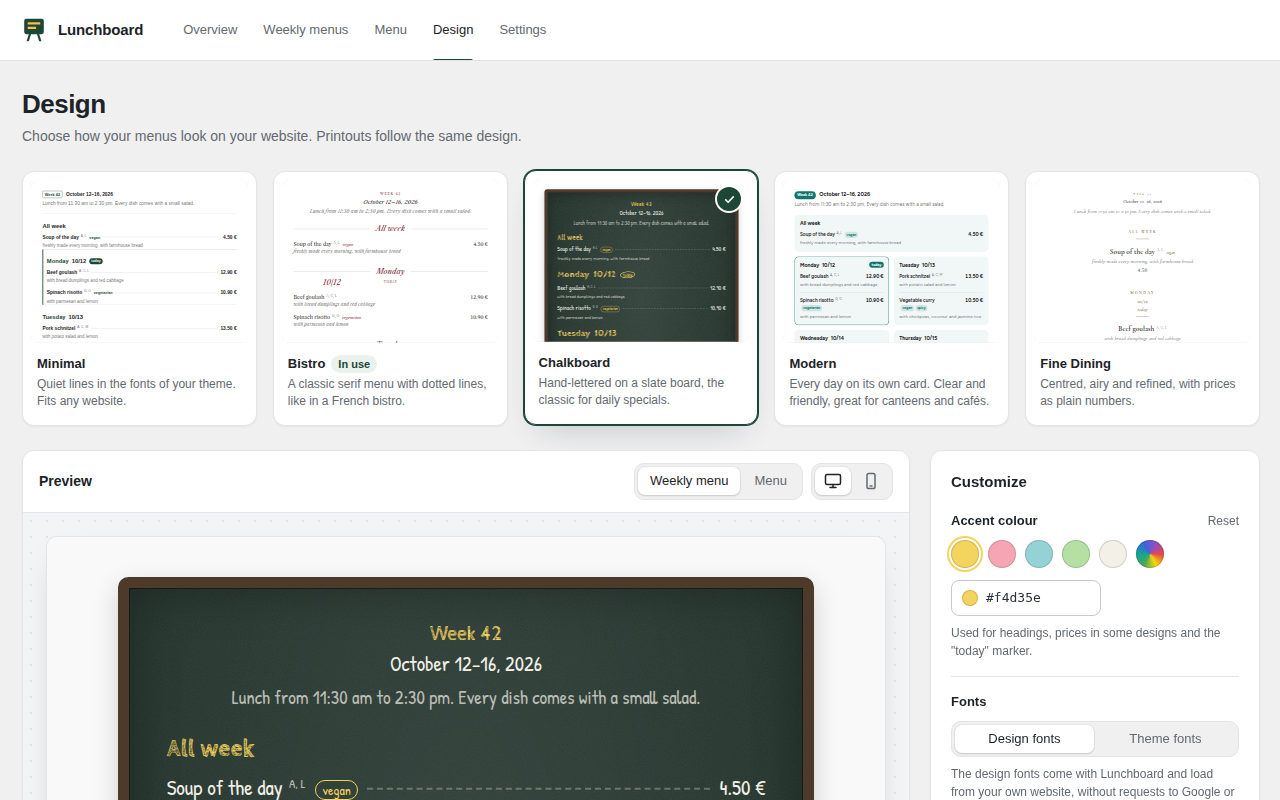
Pick a design, change the colour, type your own dish of the day: the preview shows exactly what your guests see – with the real designs from the plugin.
SettingsLive preview
Design
Accent colour
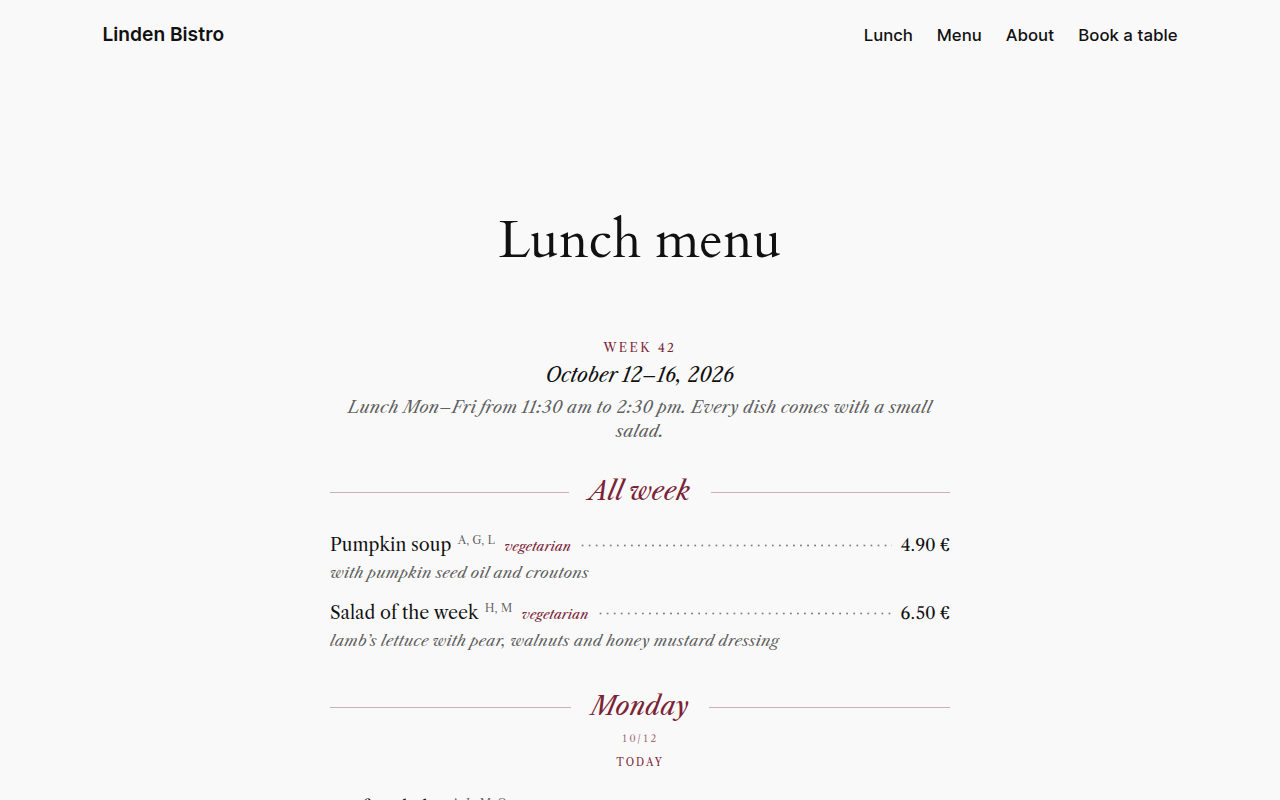
Bistro – A classic serif menu with dotted lines, like in a French bistro.
The preview uses the real designs from Lunchboard – you set dishes, colours and fonts in the plugin just like this. Nothing is saved.
Why Lunchboard
Type it once. Up to date everywhere.
For restaurants, cafés, canteens, bakeries and butchers: website, menu board and QR code show the same menu – kept up to date in one place.
Lunch menu in minutes
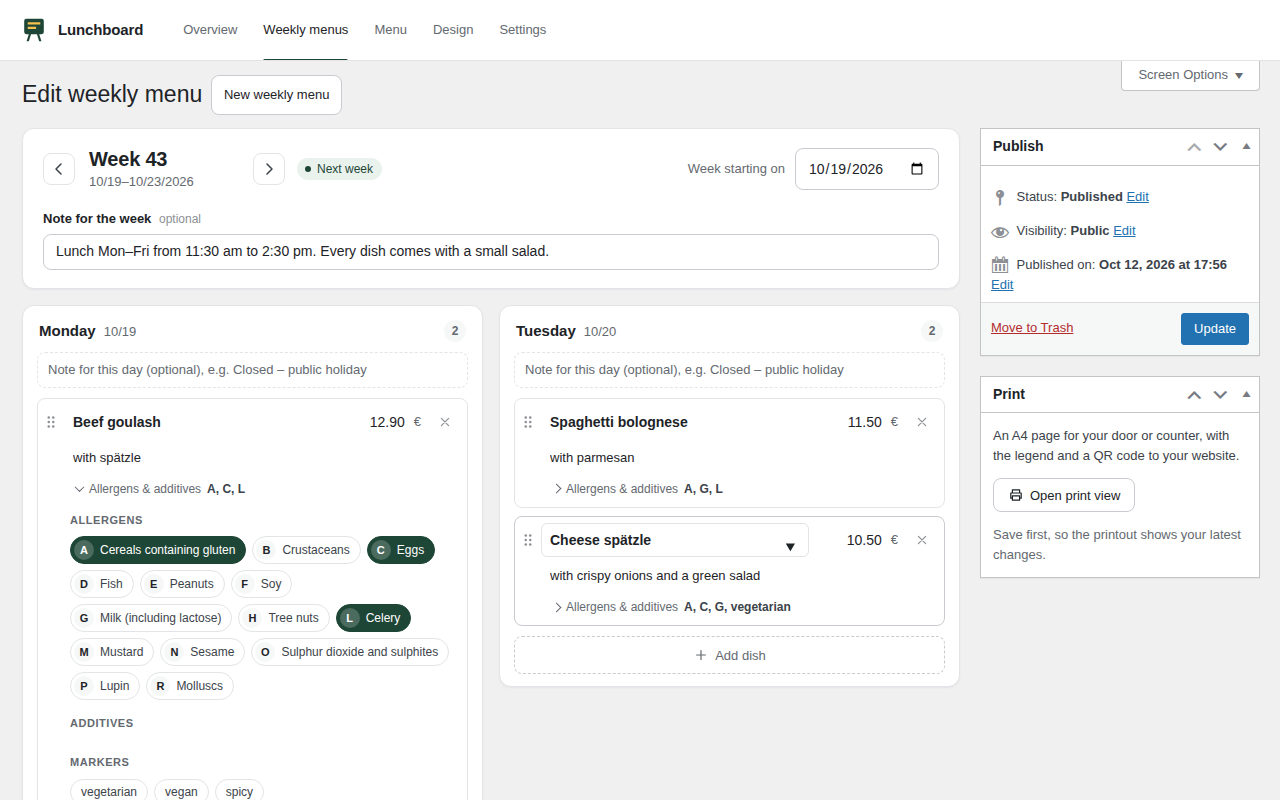
Monday to Friday side by side. Dishes you served before fill in price and allergens as you type, “Start from last week” does the rest.
Allergens, clearly labelled
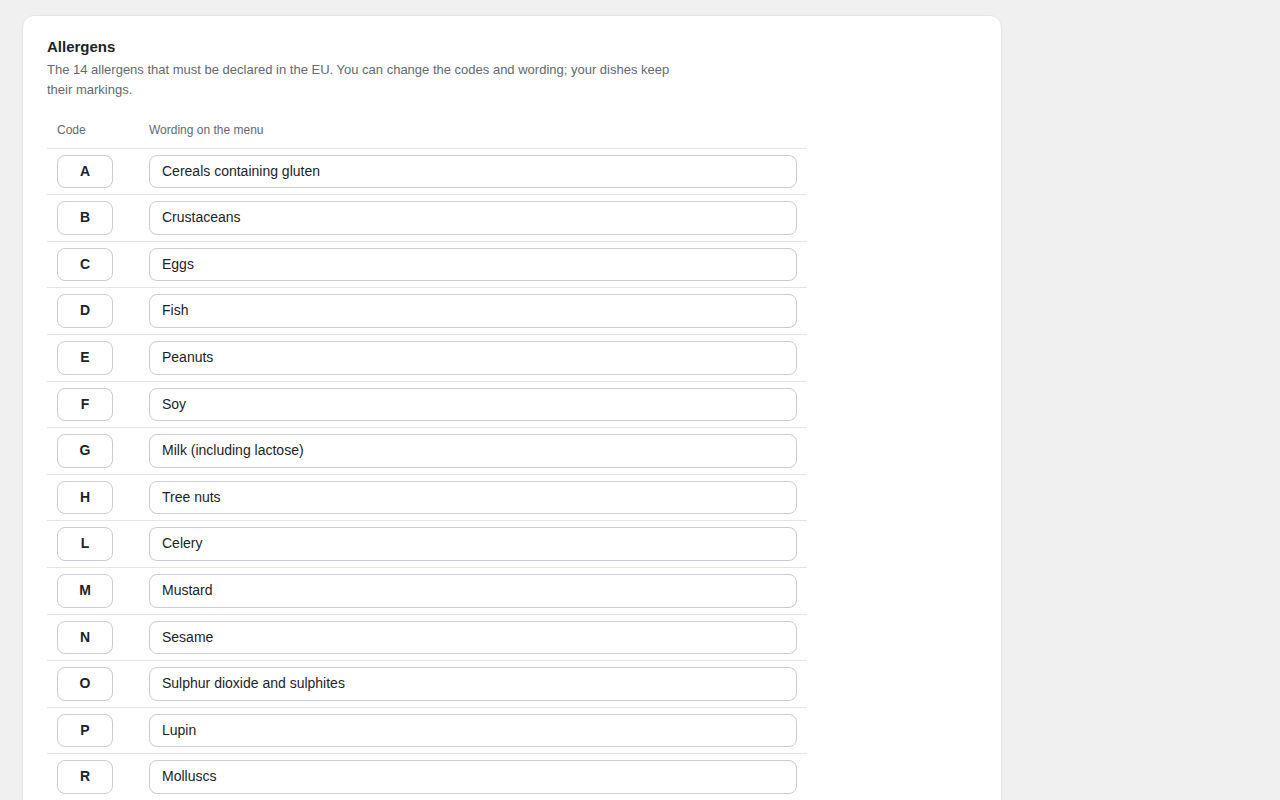
The 14 EU allergens with the codes A–R and the usual additives with numbers – with a legend below every menu.
Five designs, your colour
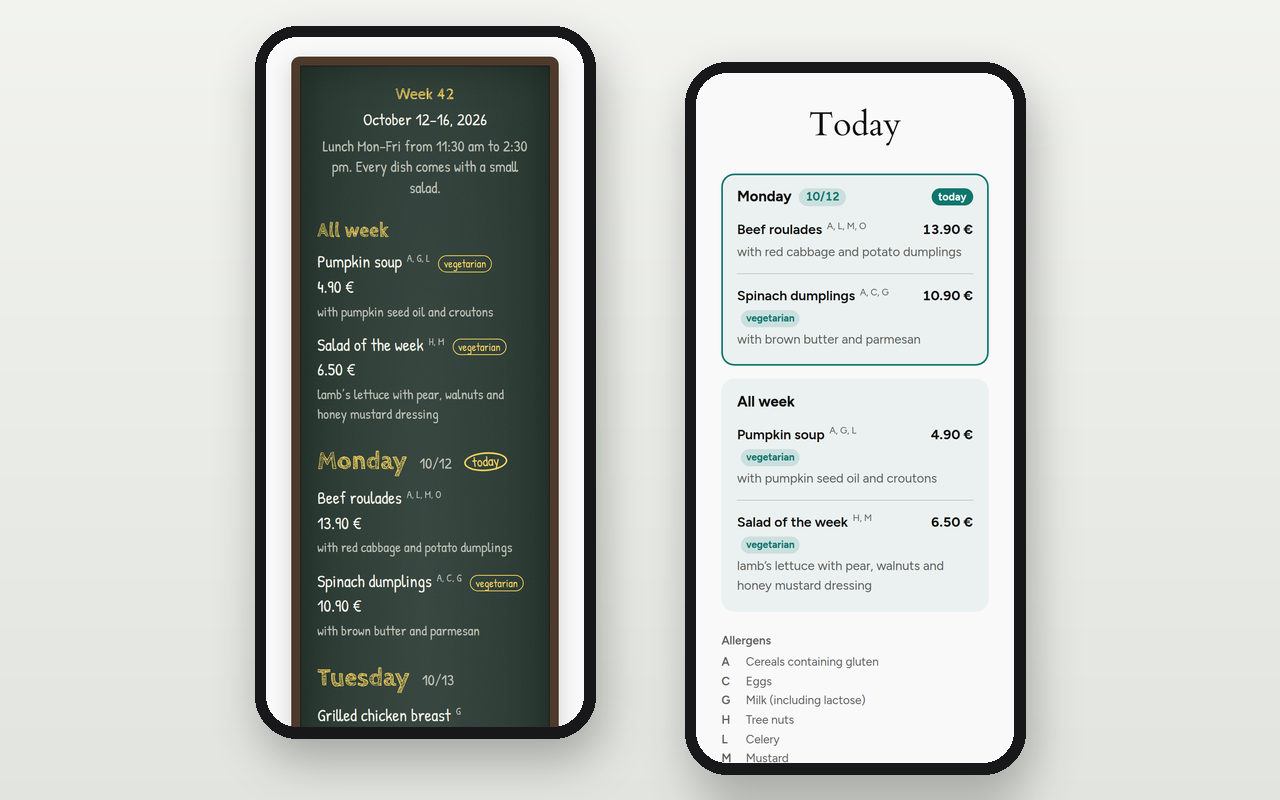
Minimal, Bistro, Chalkboard, Modern and Fine Dining – in your accent colour and, if you like, in your theme’s fonts.
Menu board & QR code
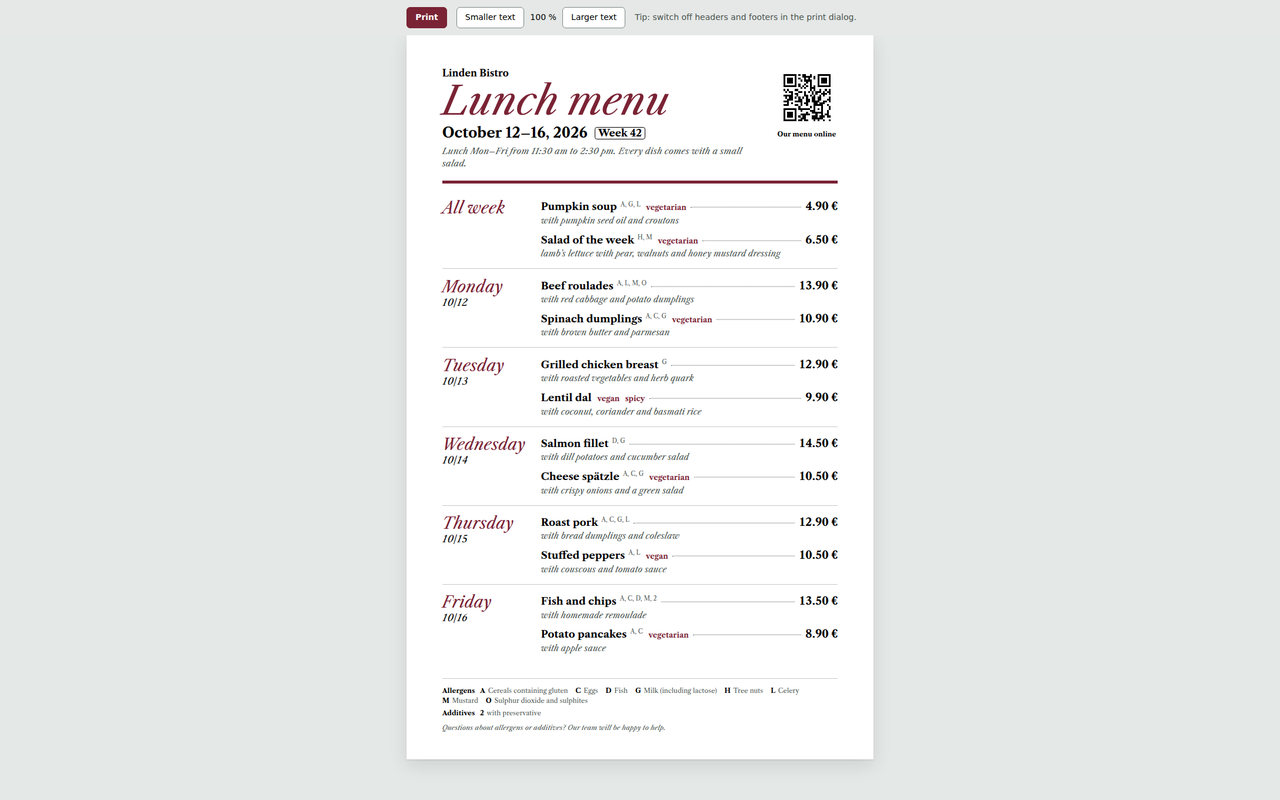
One click for the A4 page on your door or counter – the QR code for table stands comes as SVG or PNG.
Screenshots
What it looks like – for you and your guests.
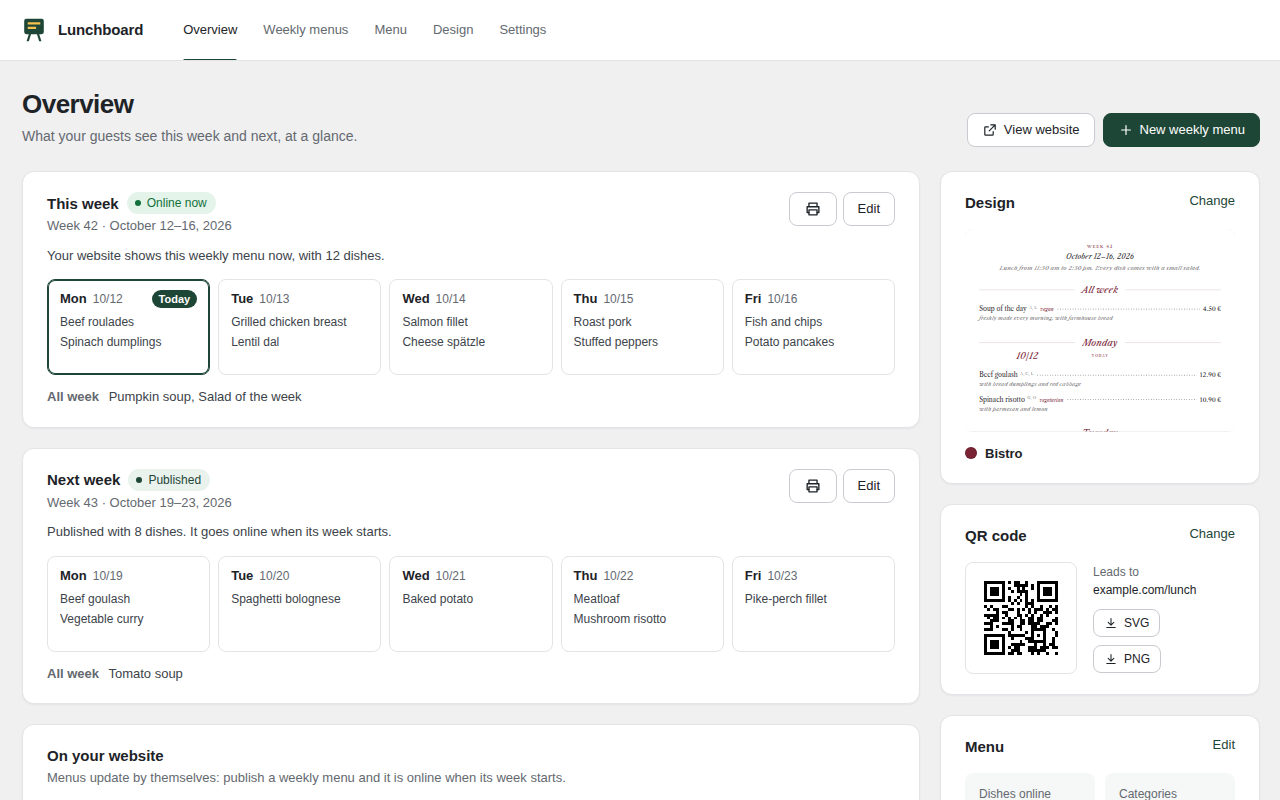
Real screenshots from Lunchboard – from the weekly menu in your admin to the board on your door.
At a glance
- 14allergens with the codes A–R
- 5designs with live preview
- 0external requests – all from your server
- 70+documented hooks for add-ons
Your week
Three steps, then it’s lunchtime.
Once it’s set up, all that’s left is typing in the dishes. The overview walks you through it the first time.
Create the week
A new weekly menu – or start from last week with one click. The days sit side by side.
Type the dishes
Name, price, allergens. Dishes you served before are filled in as you type – Enter jumps to the next field.
Publish
Your website shows the week as soon as it starts. Menu board and QR code are up to date right away, caches are cleared automatically.
Features
Everything included. For free.
No locked features, no upsell notices in your admin. English and German are fully translated.
Weekly menu & “Today”
Monday to Friday, dishes served all week and notes per day. Your website always shows the current week and switches to the next after the last serving day – “Today” is a separate view for your home page.
Restaurant menu
Categories and sub-categories in your order, several sizes per dish (0.3 l / 0.5 l), photos, descriptions and markers like vegetarian, vegan or spicy.
Allergens & additives
The 14 EU allergens with the codes A–R, the usual additives with numbers and your own entries. Screen readers hear the full names instead of letters.
Menu board & QR code
A clean A4 page in your design with legend, business name and QR code – choose the text size or two columns before printing. The QR code comes as SVG or PNG.
Search engines & speed
schema.org structured data (Menu, MenuItem, Offer), real text instead of a PDF, styles only on pages with a menu. No external requests: the fonts live on your own server.
For developers
More than 70 documented hooks, public functions, template overrides and JavaScript hooks – for your own designs, fields and add-ons.
Lunchboard Pro
Pro is in the works. Lunchboard stays free and complete – Pro comes on top.
Notify me when Pro is readyFAQ
Questions, answered.
Does Lunchboard make my menu legally compliant?
No plugin can do that. Lunchboard helps you mark allergens and additives and explains the codes in a legend. You remain responsible for complete and correct information about your food.
Can I use other codes than A–R and 1–12?
Yes. Change every code and wording under “Lunchboard → Settings → Allergens & additives”. Your dishes keep their markings.
Will the menu match my theme?
The “Minimal” design uses your theme’s fonts and colours. The other designs bring their own look – you choose the accent colour, and every design can switch to your theme’s fonts.
Does Lunchboard load Google Fonts or other external files?
No. The fonts of the designs are part of the plugin and load from your own website, QR codes are created in the browser. No tracking, no CDN.
How do I put the menu on a page?
With the blocks “Weekly lunch menu” and “Restaurant menu” – or with shortcodes for page builders: [lunchboard_week] for the current week, [lunchboard_week day=“today“] for today, [lunchboard_menu] for the whole menu. Every menu can use another design.
How do I print the weekly menu?
Open the weekly menu and click “Open print view”, or use the print button on the overview. In the print dialog, switch off headers and footers for a clean page.
I use a caching plugin. Will guests see old dishes?
No. Lunchboard clears the cached pages that show a menu whenever you change a dish, a weekly menu or the settings, and again every night shortly after midnight. This works with WP Rocket, LiteSpeed Cache, W3 Total Cache and WP Super Cache.
What happens to my data when I delete the plugin?
The settings are removed. Weekly menus, dishes and categories stay, unless you switch on deleting everything under “Settings → Advanced”.
Your lunch menu online by next week?
Download Lunchboard for free, type in the week, done. Questions about the setup? We’re happy to help.